 JDubiel
v0.9
JDubiel
v0.9
JDubiel is an application program for music analysis, which uses analytical methods employed in pitch-class set theory.
Notice posted on September 14, 2026
Since it's quite likely that it will take a couple more months for the JDubiel application to become available as a Web app, I make the code available for download HERE.
If you are familiar with UNIX shell commands, unzip the jdubielApplication.zip (be careful about the distinctions between upper and lower case), open a shell window (Terminal on OSX/Linux, PowerTerminal on Windows), move (cd) to the jdubielApplication directory (folder), and then start the app by typing:
(command prompt %) java JDubielApplication &
Then, a menu window of the application should show up and work fine.
The following is an old notice posted this Spring:
Old notice: Since I no longer have time to update this application, it will be maitained at the following site from now on:
VeneziaVeneto
Akira Takaoka
https://www.facebook.com/akira.takaoka.77/
Tokyo, Japan
September 14, 2026
--
JDubiel is named after Professor Joseph Dubiel of Columbia University, with whom I was privileged to study pitch-class set theory. JDubial was originally written as DUBIEL in Objective-C, C, and C++ under NeXTSTEP and Linux as part of my dissertation project, Stravinsky's 12-Tone Music: Some Principles of Atonal Pitch Organization. Joe generously granted me permission to use his name for the program when I was writing it in 1995. Then he allowed me to use it again summer 2005 when I showed him a prototype of this new GUI version written in Java.
The paper on JDubiel presented at ICMC 2009 is here.
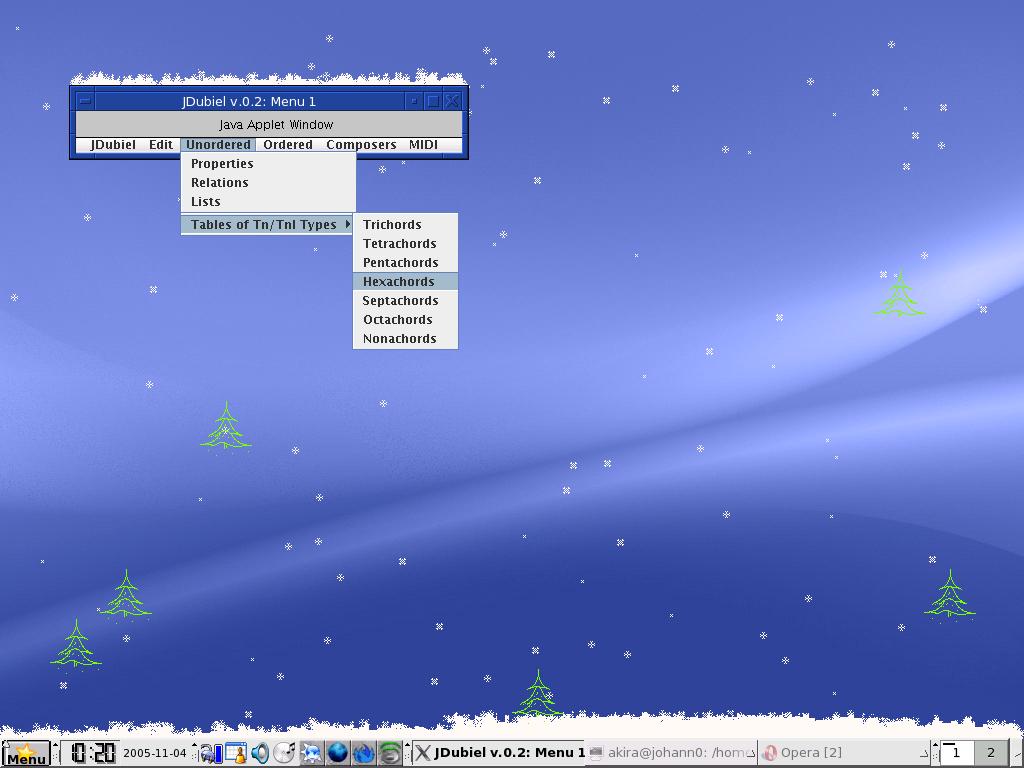
When you start JDubiel, depending on the OS you use, a window like one of the following will show up:



Click on a menu item ("Unordered," "Ordered," "Composers," etc) and choose a submenu.
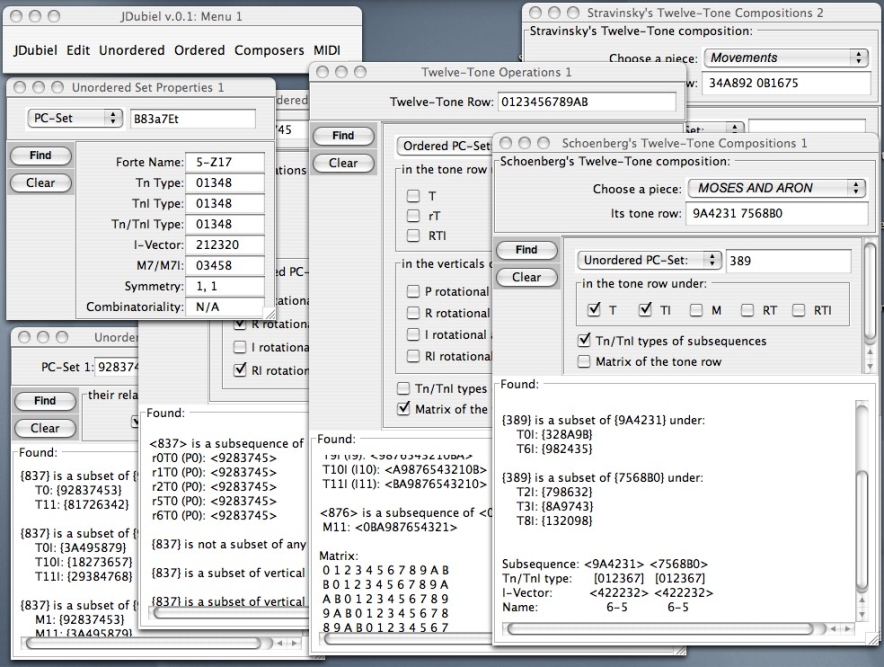
JDubiel consists of these frames.
Developers may be interested in the Java classes used for JDubiel.
Troubleshooting:
Uncheck the "Block pop-up windows" option and enable JavaScript on your Web browser.
If you see the following warning message:
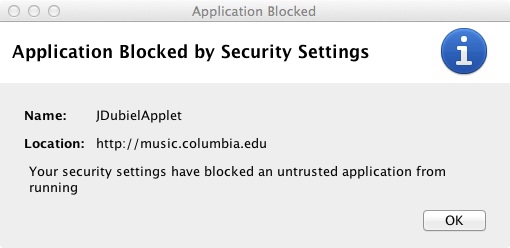
open Java Control Panel, choose the Security option, check "Enable Java content for browser and Web Start applications,"
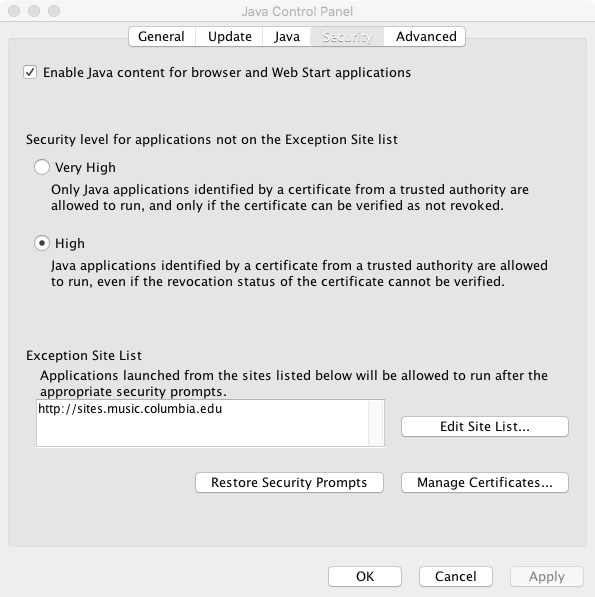
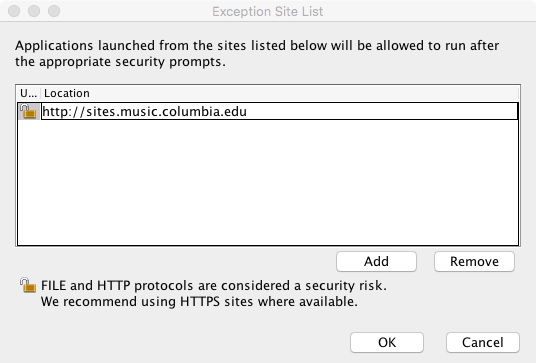
click on the "Edit Site List..." button, and add "http://sites.music.columbia.edu" (without quotation marks) to Exception Site List as shown in the following window:
Refer to this Web page to open the Java Control Panel.
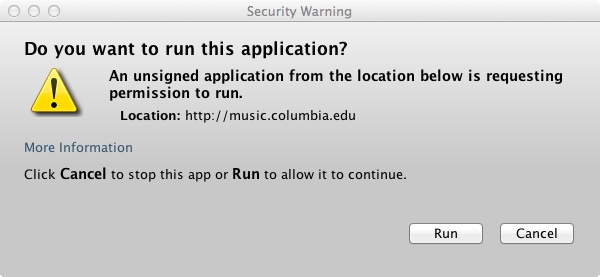
When you see the following window, click on Run.
If problems still persist, give me an E-mail message.
Endorsements:
 JDubiel 0.7 (JDubiel_0.7.tar.gz,
JDubiel_0.7.zip) is Softpedia-guaranteed (Mac, Windows) 100% clean software.
JDubiel 0.7 (JDubiel_0.7.tar.gz,
JDubiel_0.7.zip) is Softpedia-guaranteed (Mac, Windows) 100% clean software.



 JDubiel is SoftSea-guaranteed 100% clean software.
 JDubiel 0.8.1 is rated 5/5 stars at FIBERDOWNLOAD.
Return to Akira Takaoka's home page.
Updated on 09/16/2026
Copyright (C) 2005-2021 Akira Takaoka